Step 1 · Find the Retail Elevator
Park anywhere in the garage and follow the signs for the Retail Elevator.

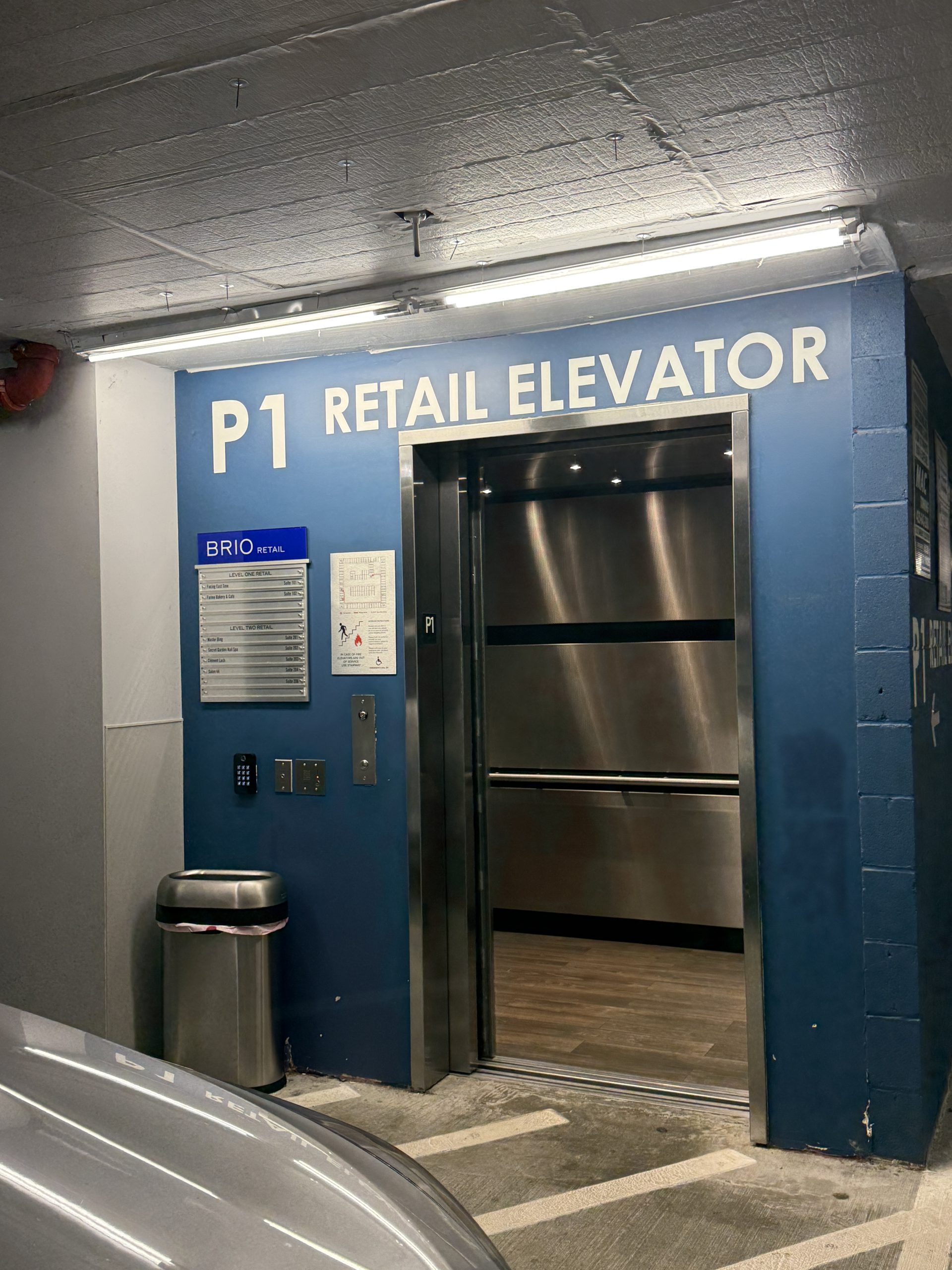
We recommend the Brio Garage, with plenty of parking spaces and 2 hours of free parking with ParkMobile.
Download the ParkMobile app before your visit.
Internet access inside the garage can be limited, so we recommend downloading the app and setting up your account before you arrive.
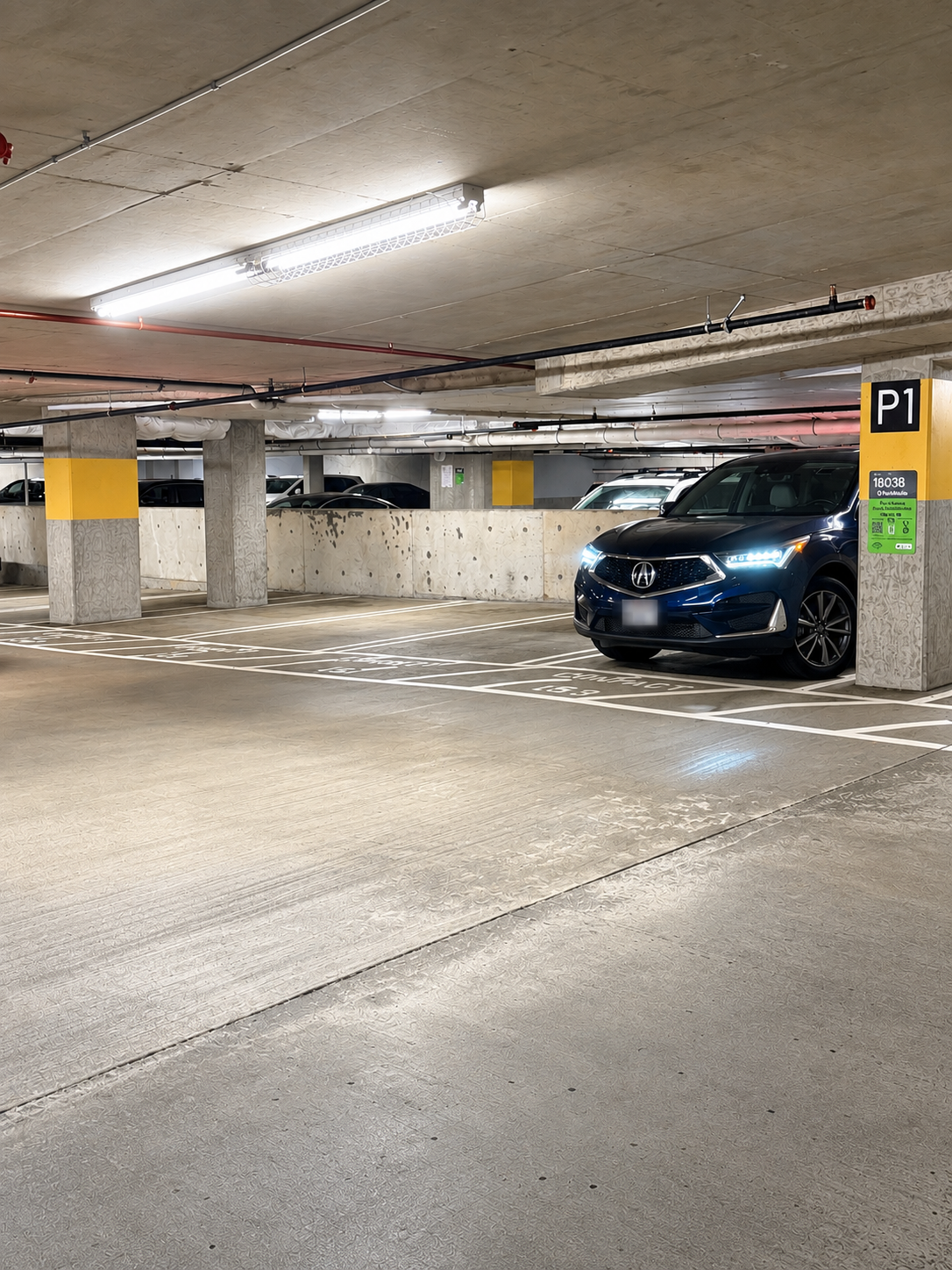
PARKMOBILE ZONE
Enter this zone number in ParkMobile after you park.
If your appointment is longer than 2 hours, select enough time in ParkMobile to cover your entire visit.
The first 2 hours are free. Each additional hour is $5.
Parking rates are subject to change — Brio may adjust pricing at any time, and we may not be able to reflect the real-time rate here. ParkMobile may also add a service fee in the app, so the actual amount you pay may be slightly higher.
Make sure your parking session covers your entire appointment to avoid receiving a parking ticket.
There are two garage entrances, and you can use either one. Both entrances lead to the same garage.
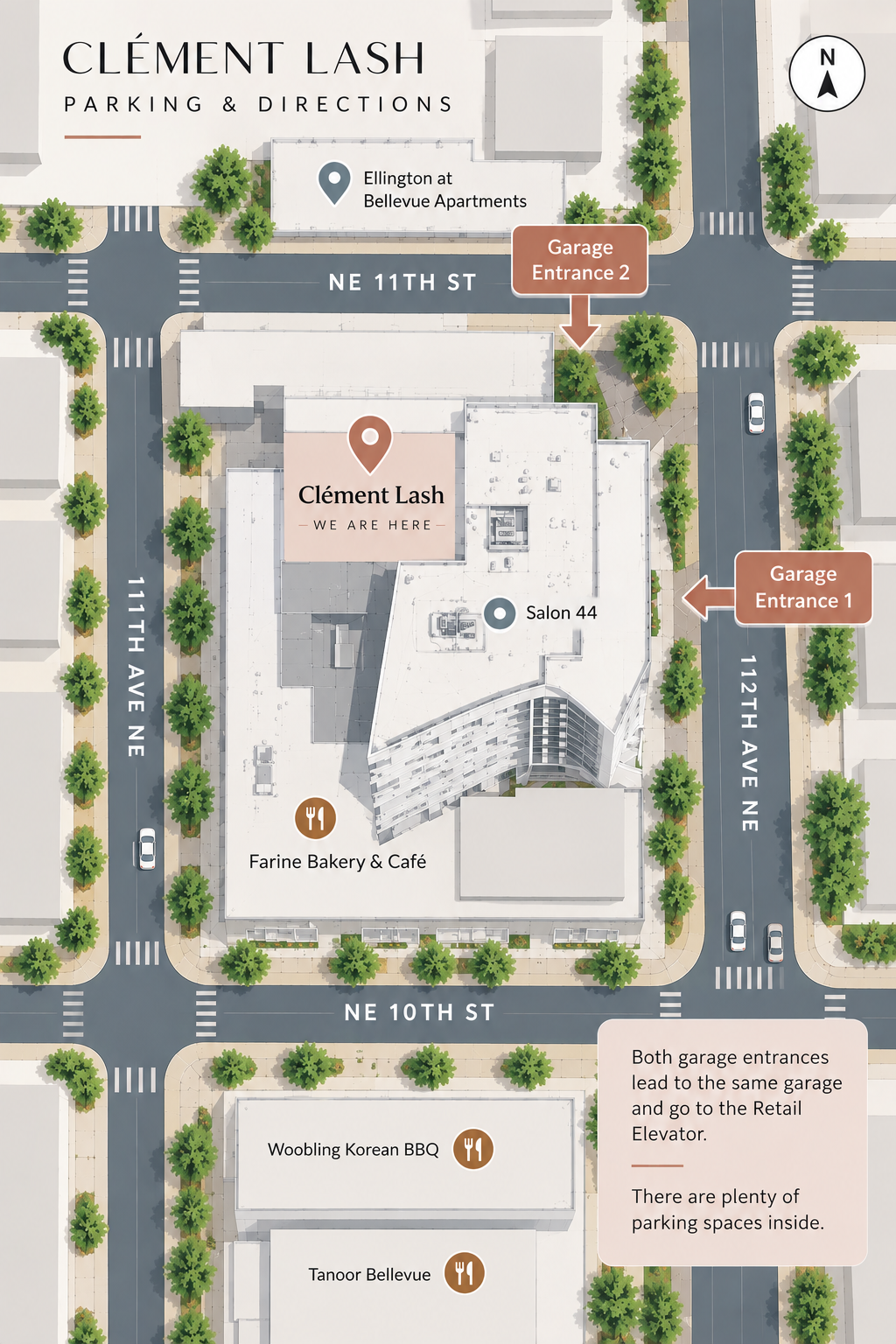
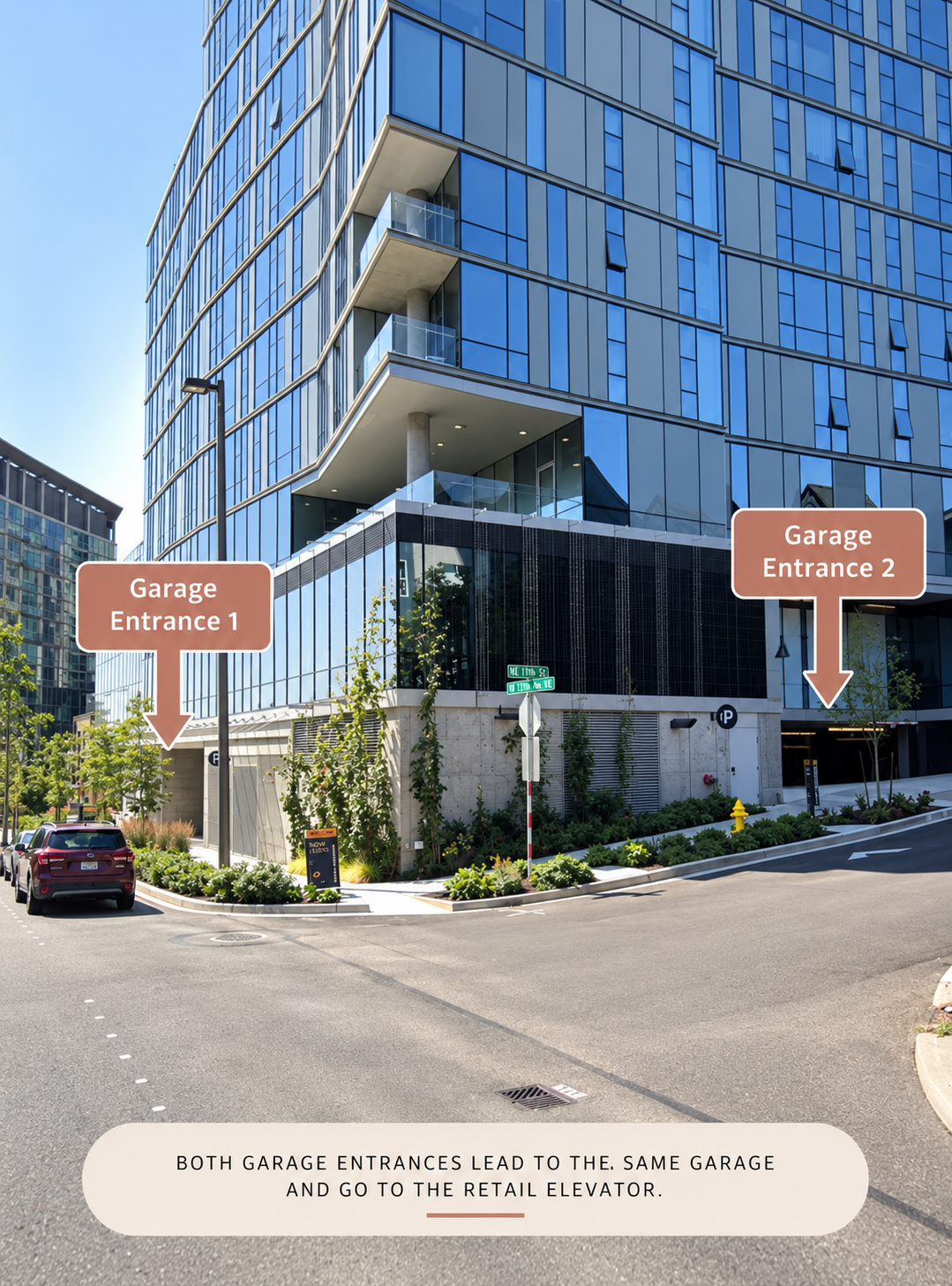
Park anywhere in the garage and follow the signs for the Retail Elevator.
Take the Retail Elevator and press ★1 · NE 10th St.
Even though Clement Lash is Suite 203, please exit on Level 1.
This is the easiest and most direct way to reach our main entrance.
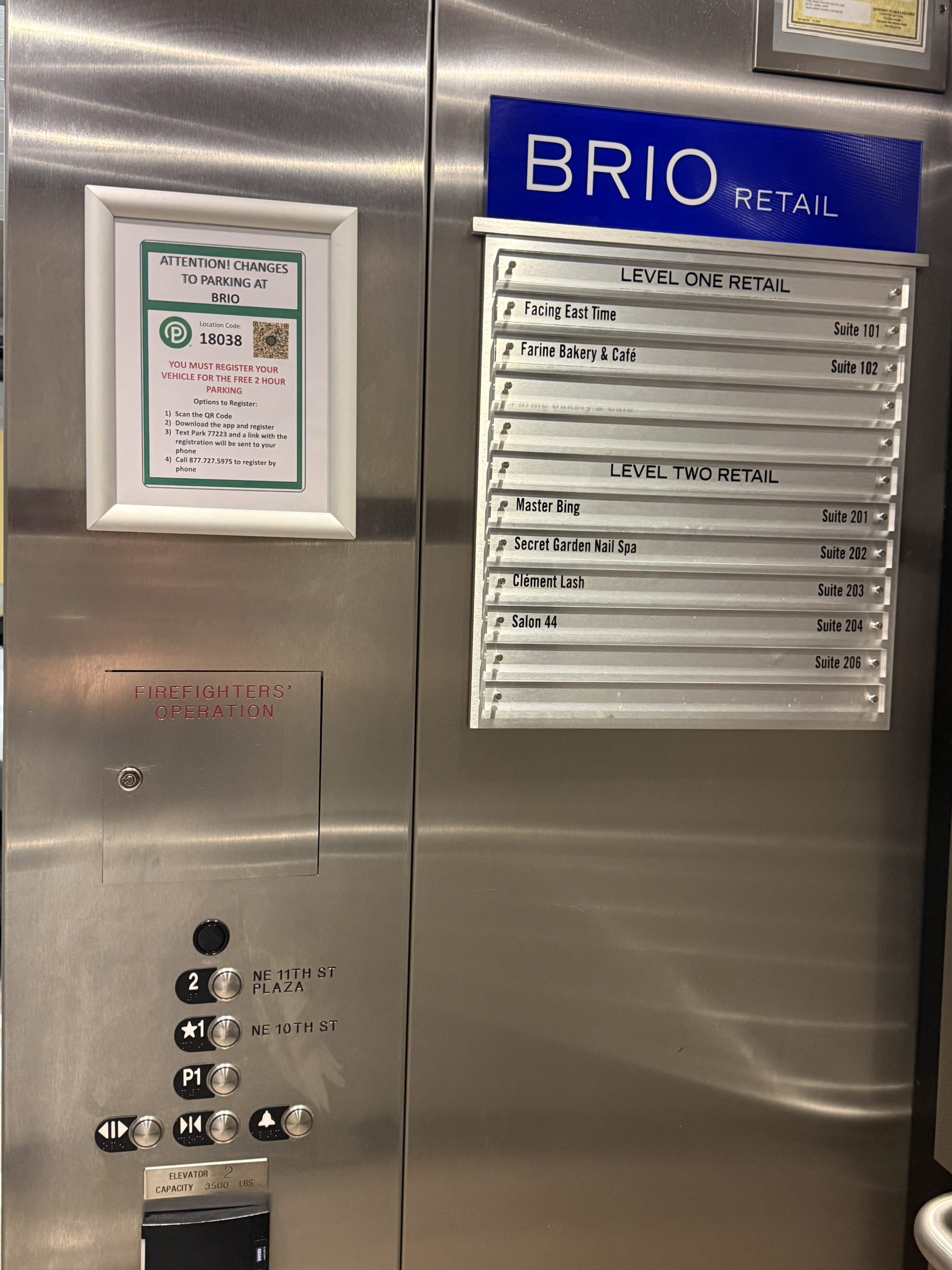
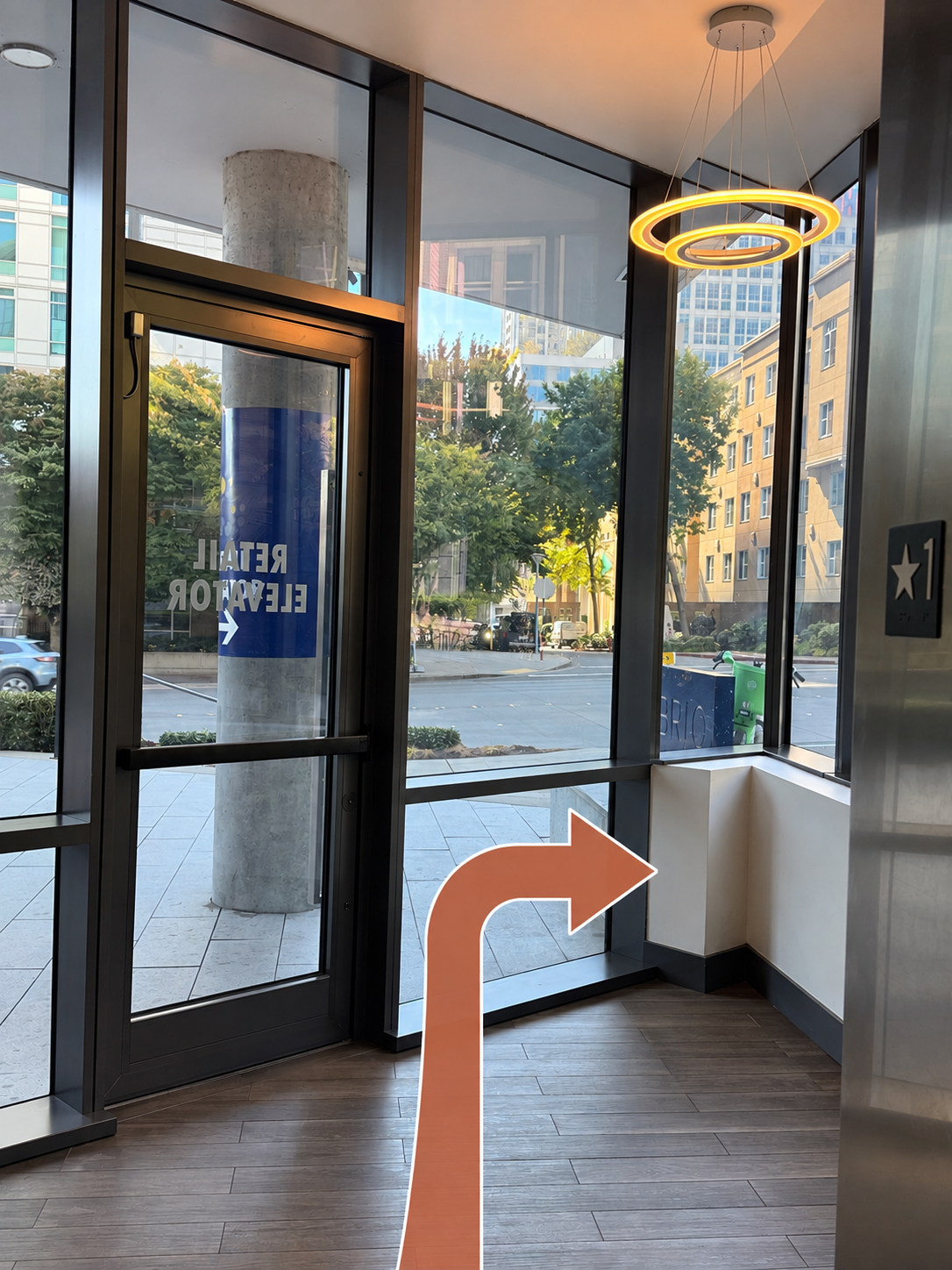
Exit the elevator room and turn right.
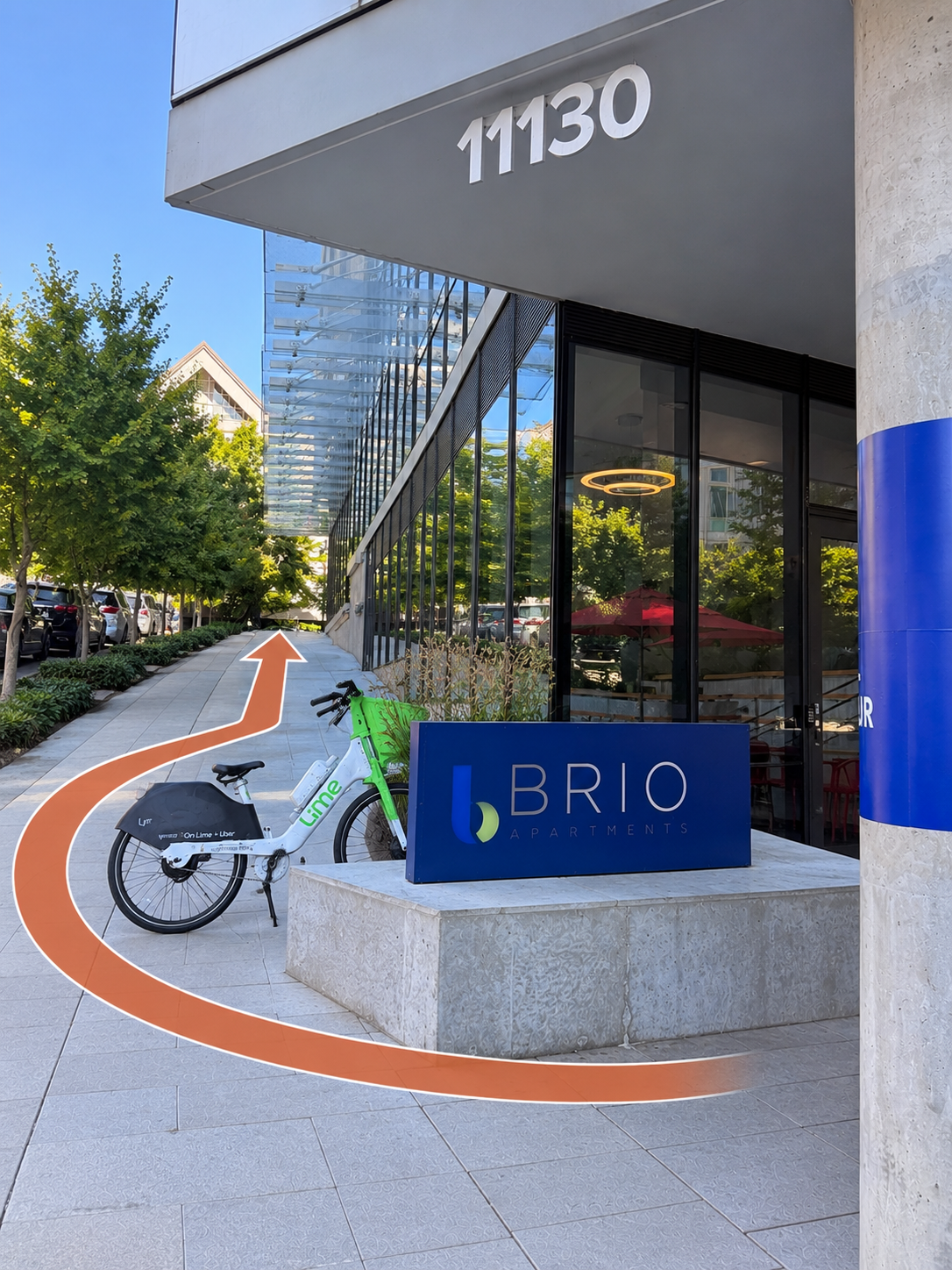
Once outside, look for the BRIO sign.
Make a U-turn around the BRIO sign and follow the walkway up the ramp.
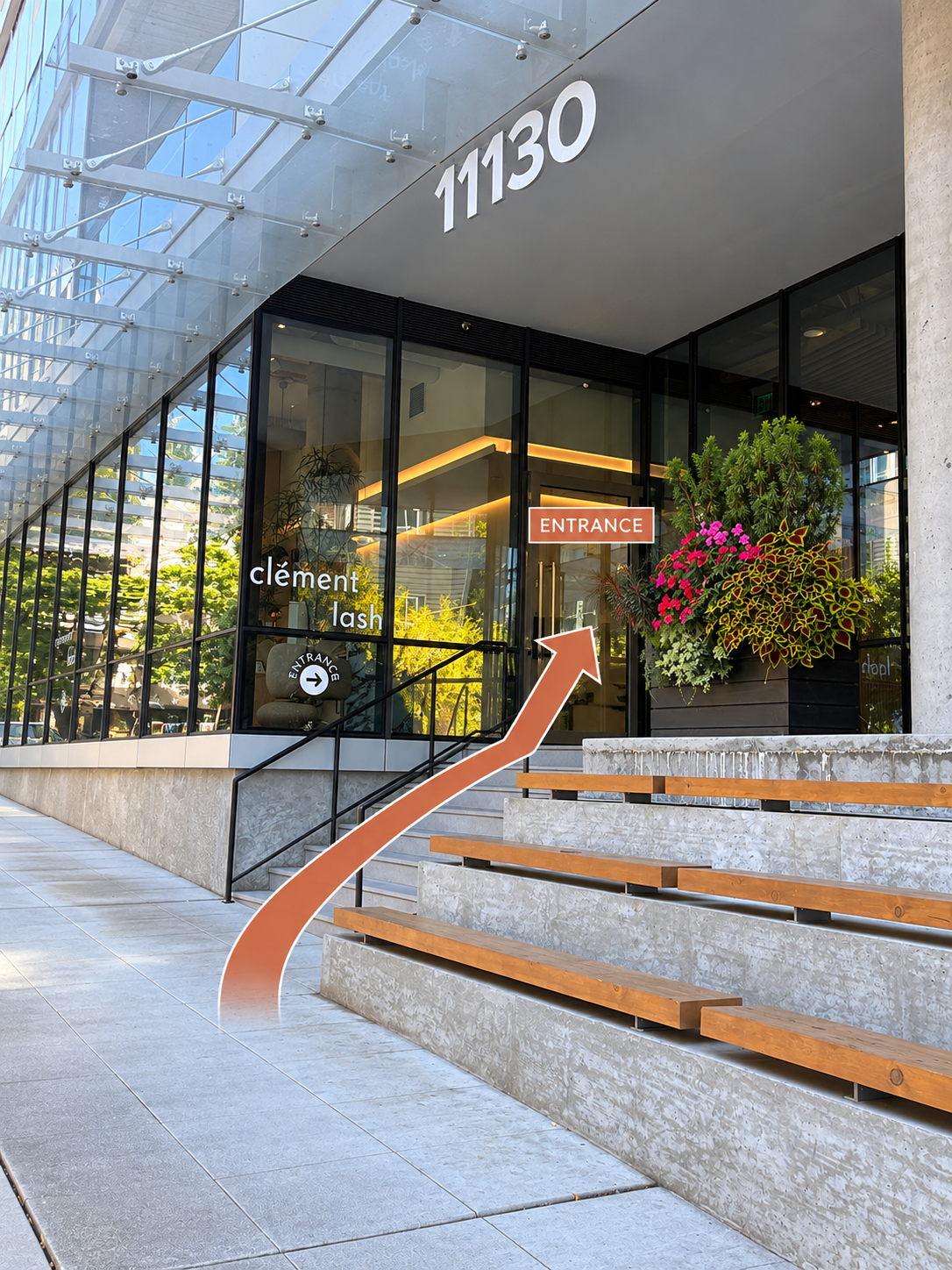
Continue up the walkway. Clement Lash will be on your right.
Look for the Clément Lash sign on the glass.
The entrance door is unlocked. Come right in.
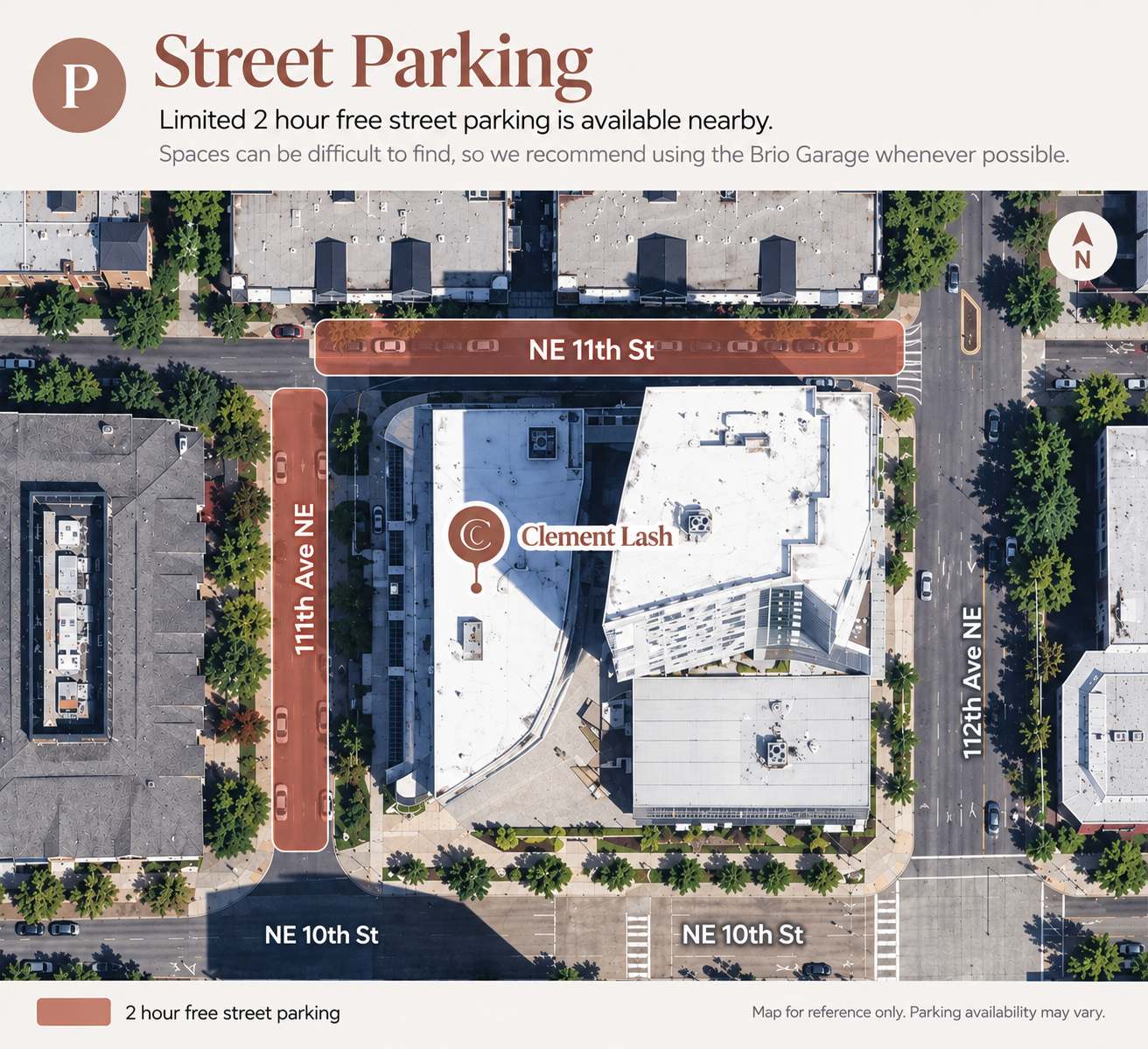
Limited 2 hour free street parking is available nearby.